Start with what you ate.
Search foods, return to previous meals, or use an optional AI estimate. Review the portion before adding it to your journal.
 PoshanSense
Your roti, your morning chai, your usual lunch. Keep track of meals, calories and macros without changing the way you eat.
Calories, macros & your daily journal · Android app in testing
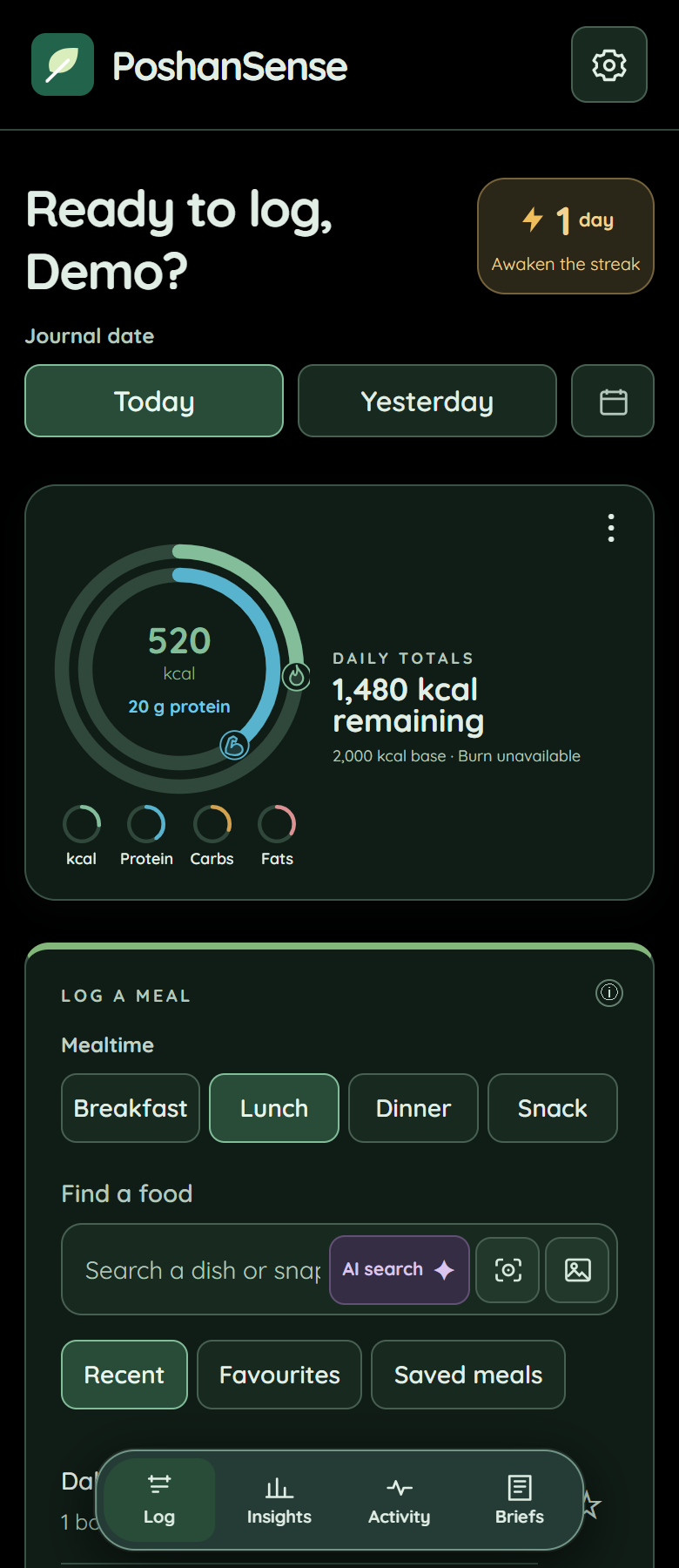
Search foods, return to previous meals, or use an optional AI estimate. Review the portion before adding it to your journal.
Follow calories and macros with selectable rings. Explore daily charts, then open a day to see meals and the dishes you logged.
Move between Log, Insights, Activity and Briefs. A home-screen widget, optional reminders and logging streaks keep your journal close.
Start with a journal on your device. Sign in if you want cloud backup. Connect Health Connect if you want activity and sleep alongside your food logs. Diagnostics are optional and remain off until you choose to share.
AI search is optional and uses your connected Gemini API key. Food requests and submitted meal photos go to Google for estimation. Always check the result.
Read the privacy policyUnderstand a packet label, find your usual portion and check an estimate before saving it.
Explore the guidesSee how calorie targets, activity adjustments and macro references are calculated, with links to the research and clear explanations of our assumptions.
How we calculatePoshanSense is in beta testing and isn’t on Google Play yet. Check beta availability or request a Play Store launch reminder.
No. Food search, journal history and manual logging work without an AI connection. Gemini is an optional way to estimate a dish or meal photo.
No. Recipes, brands and serving sizes vary. Catalogue values and AI estimates are a guide. Check packaged-food labels and adjust portions when needed.
PoshanSense is a general wellness journal, not a medical device. It does not diagnose or treat conditions. Speak to a qualified healthcare professional about appropriate targets, especially during pregnancy or when managing a chronic condition.
You can request account and associated data deletion by email, even without the app. See the deletion steps.